

Short answer
Claiming your business in ChatGPT Business Hub gives you control over the facts ChatGPT shows about it, and nothing beyond that: OpenAI's own FAQ says a claim does not guarantee more visibility. As of November 16, 2026 the hub is in beta, and I'd run three checks before opening the form. Is your business eligible where you are? Can you prove it is yours and pass an identity check with Persona? Are you ready for a profile that is published on approval and that support cannot take down?
I opened the Business Hub with my agency's profile, which has the blue check; I passed the Persona check on 16 November 2026. Below are the three checks, the cabinet screen by screen, what the three dashboard numbers mean and what I would do.
What OpenAI launched
OpenAI opened Businesses in ChatGPT as a beta on 10 November 2026. That date and the figure of 1.2 billion weekly ChatGPT users come from coverage of the launch; I did not open the primary announcements, and the help center names no launch date. The product has two parts. Business Hub is where you claim a business, edit what ChatGPT shows about it and read Insights. Business Agents are branded chats inside ChatGPT that answer customer questions. The coverage I read frames it three ways: a rival to Google Business Profile, a chatbot for online stores, or a new ad product, because agents can be sponsored.
On money, the help center names no fee for claiming a business, and you need neither an ads account nor an Enterprise contract. Sponsoring an agent through ads is a separate product. I would not read "no fee today" as "no fee ever": one vendor write-up that cites Digiday says later charging is not ruled out. And OpenAI says it does not pass on to a business the questions people ask ChatGPT, or their chats with an agent.
Check one: are you eligible
The hub is open wherever ChatGPT is available and the verification is supported. What you can do inside it depends on what you sell and where.
| Business type | What you can do | Where |
|---|---|---|
| Local shop or restaurant | Claim an existing listing | Listings in the US only, for now |
| Online business | Add the business; a website is required | Where ChatGPT and the verification are available |
| Business Agent | Build a branded chat | Online stores and online services in the US, with a website |
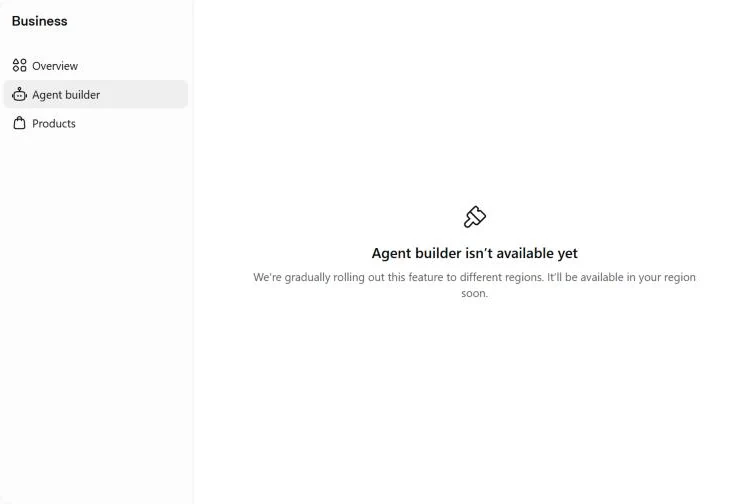
I am in Estonia. The profile and the dashboard open for me; the agent does not.
Check two: can you prove it and pass the ID check
OpenAI gives four ways to prove the business is yours: a code to the business phone (SMS or a call), a code to a business email, a TXT record on your domain, or a Shopify login. My pick is the TXT record, because it proves you control the website itself. That is my take, not OpenAI's advice.
Then OpenAI reviews the claim and emails you its decision. Approved is not finished: next comes an identity check with Persona. The help center says it can ask for a government ID, your company registration details and proof that you can speak for the company. Until Persona approves you, you cannot publish changes, add a product feed, see Insights or build an agent, and the blue check appears only after that second check.
If an agency runs the profile, the admin who claimed it can add colleagues and give the agency access. For a business that someone else has already claimed, the help center describes a "Dispute ownership" option.
Whether a private person with a website, and no registered company, gets through the verification, I cannot tell: the help center lists company registration as one of three things Persona may ask for, next to a government ID and proof of authority. That is why I phrase my advice below with an "if".
Check three: a publish you cannot undo
This is the check to read twice. If you create a new profile through Persona, approval publishes it automatically; there is no separate publish step. OpenAI support cannot unpublish a published profile. Only a draft can be deleted.
In a video published on 12 November 2026, one creator reported three traps: the DNS record goes stale fast, the description box cuts your text off without a warning, and the Back button wipes your draft. I could not confirm any of the three, so treat them as one person's report. The advice that follows from them costs nothing: write the profile text first, in a document of your own, and paste it in. OpenAI's demo shows a counter of 300 characters in the description box (96 of 300 on one screen, 243 of 300 on another); I did not check the limit in a live form, so look at yours before you paste.
The cabinet screen by screen
The Business page lists every business tied to your account, with a button to add one. Inside a business there are three sections on the left (Overview, Agent builder, Products) and, at the top, "Edit business info" and "Invite".
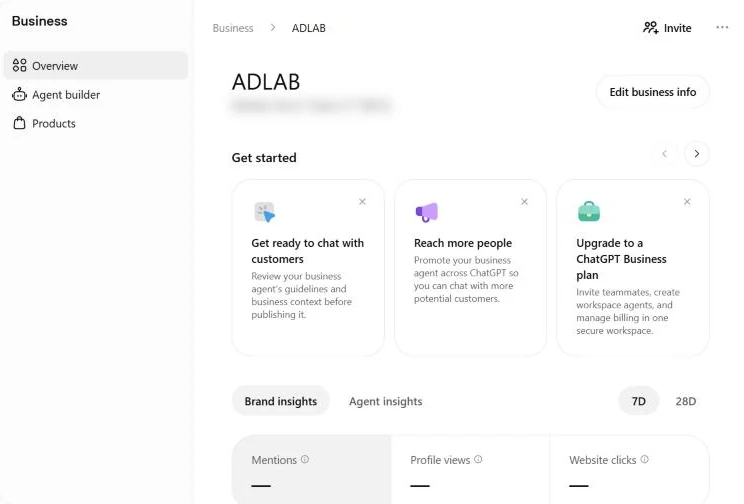
The Overview page opens with a row of setup cards: review the agent before you publish it, upload a product catalog, promote the agent, and an invitation to upgrade to a ChatGPT Business plan, which is about teammates, workspace agents and billing. "Invite" is for teammates and agencies.
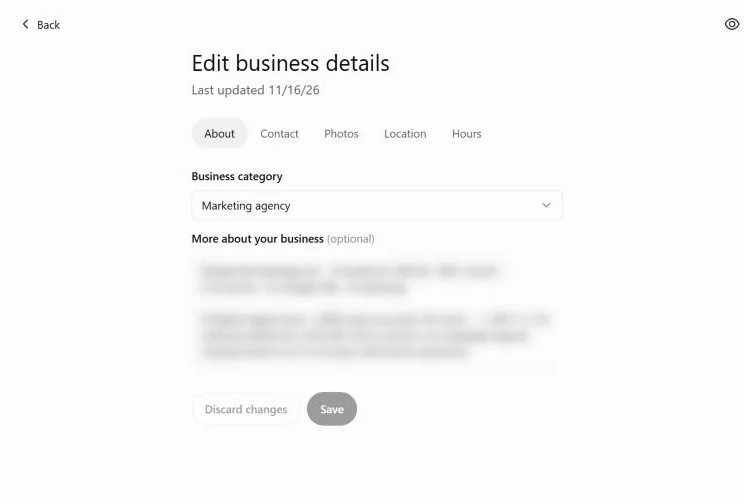
"Edit business details" is a separate page with five tabs: About, Contact, Photos, Location and Hours. About holds the business category (mine is Marketing agency) and an optional description.
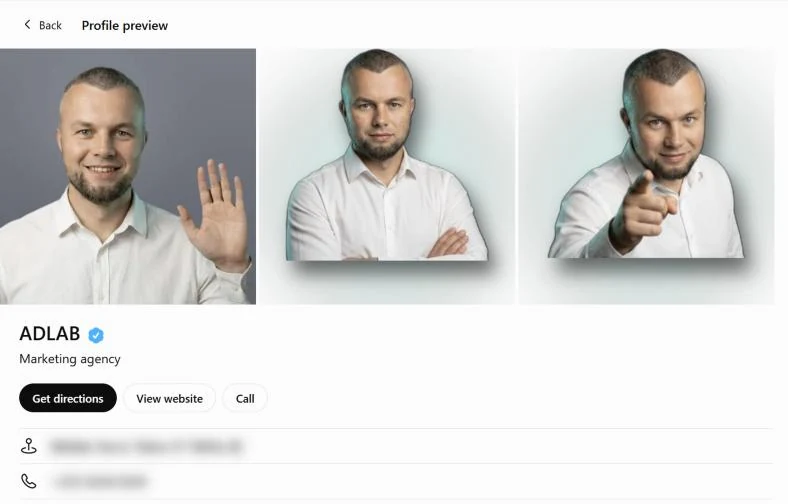
Next to the editor sits a preview of the card people will see: photos, the name with the blue check, the category, three buttons (Get directions, View website, Call), then the address and phone.
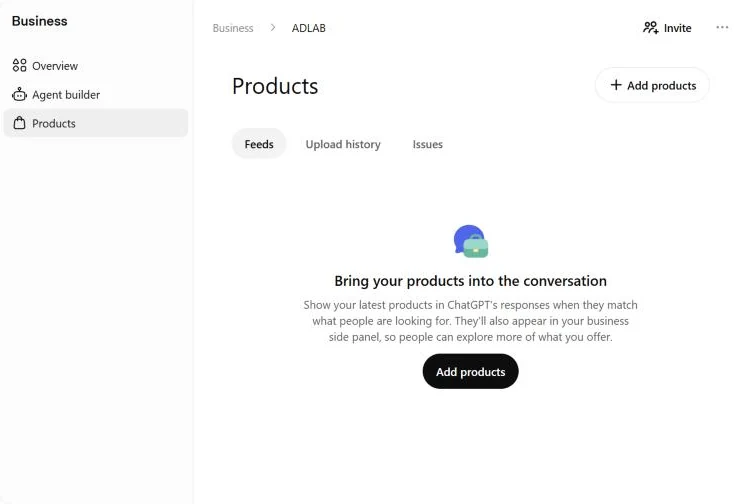
Products is for stores. It has three tabs: Feeds, Upload history and Issues. You add products as a CSV, as a link to a hosted file or through Shopify. According to the screen and the help center, products can show up in ChatGPT's answers when they match what people are looking for, and in the business side panel. My profile has no feeds, because my agency does not sell products.
The small Website access panel shows the saved site address and "Access confirmed", with a note that the status reflects the saved URL and that a re-crawl also visits eligible linked pages. What exactly is checked, OpenAI does not describe.
What counts as a mention
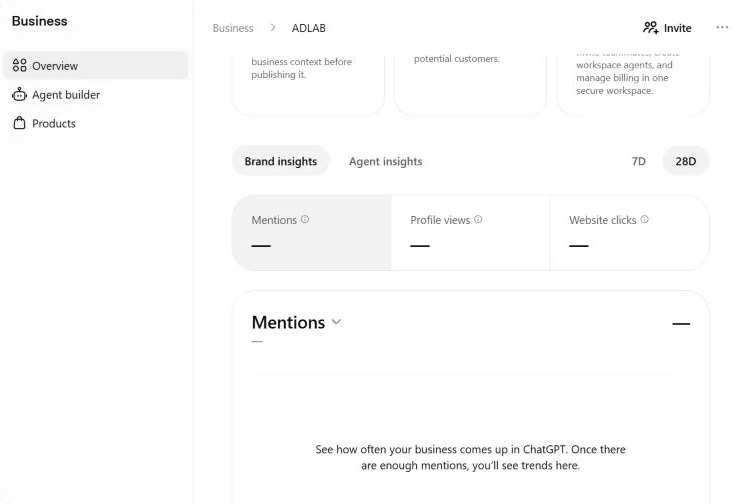
Insights has two tabs, Brand insights and Agent insights, and a 7D and 28D switch. The help center describes a 28-day view; the 7D and 28D switch is what I see in my cabinet. There are three numbers:
- Mentions. For an online business ChatGPT has to reference your website; the brand name alone is not enough. For a local business a mention is counted when ChatGPT shows a result for your place, even if nobody opens it.
- Profile views. Openings of your profile in ChatGPT.
- Website clicks. Clicks on the link to your website.
Events are recorded per day in UTC, and missing days appear as gaps.
Discovery topics are groups of themes taken from the answers that mentioned your business. They are not prompts and not intent, and you never see what people typed. If your numbers are blank, OpenAI says a blank value is not a zero: activity may not have reached the reporting threshold, the data may still be collecting, or the report may be unavailable. Mine show dashes and the note "Once there are enough mentions, you'll see trends here". Agent insights, a separate tab for the agent's own numbers, says it is not available for my business.
OpenAI's demo shop shows 15,356 mentions, 1,234 profile views and 5,432 website clicks, and it is a fictional shop. After the launch PPC Land published two live dashboards: 690 mentions with 24 clicks, and 28 mentions with 1 click. Two examples are not a benchmark, and the threshold for showing a number is not disclosed. The counters are first-party.
What the Hub does not promise
The FAQ is blunt. Claiming does not guarantee more visibility and does not give you direct control over what ChatGPT recommends. Ads do not influence ChatGPT's independent answers. ChatGPT may use other sources besides your profile; which ones, the pages I read do not say, and I did not check. The agent explains your products and policies and leads people to your website. It does not take purchases, bookings or order status requests.
So the Hub is a control panel for the facts and a set of first-party counters. It is not a ranking tool, and OpenAI does not call it one. If you want to work on being cited in answers beyond the profile, that is the subject of what generative engine optimization is and of AEO versus GEO; a profile is the part of that job you can finish in an afternoon. A file such as llms.txt is a different matter, and in my logs from 839 sites, verified AI bots asked for it once. Which bots fetch your pages at all is a different question, and your server log is the place to look: AI bots versus Googlebot shows how I read it.
Claim now or wait
My view, as of November 16, 2026: add the profile. A registered company or a private website, it makes no difference to me, if the verification lets you in. OpenAI says ChatGPT may use other sources, so what you enter is one input you control; I found no fee; and wrong details about your business are your problem whether you claim it or not. If you do not claim it, you leave the description to guesswork.
The catch list is short: an ID check, a publish that cannot be undone, an agent that is not available everywhere and no promised effect. Two habits follow. Keep the name, address and phone identical to those on your own site: they often differ between a site and its listings. And do not switch on an agent until you have tested it on returns, shipping and prices. Then write the three Insights numbers down once a week yourself; one empty week tells you nothing.
Who should wait. According to the help center, a local business outside the US has nothing to claim yet, because local claims are limited to existing US listings. A business with no website cannot take the online route, which requires one. If you cannot pass the ID check, or you are not sure you want a profile that publishes on approval, hold off until you know what you will enter. And do not wait for an agent unless you run an online store or an online service in the US.
Before you open the form
The one step I'd take today: put the profile text and your name, address and phone in one document before you open the form. Two files make that easier. The business profile worksheet is a Markdown and CSV template with every field the form asks for, with the description limited to 300 characters. The claim checklist walks through before, during and after, and marks the three traps as "reported by one creator, not confirmed".
What I did not verify: I did not document the claim path step by step (search for the business, the TXT record, Persona); the screens in this article are the viewing screens of my agency's profile. The 1.2 billion figure, the beta date and the three angles of coverage come from retellings, and I did not check whether the Insights window is 7 or 28 days in every account. If you want the facts about your business checked across your site and your profiles, I do it as part of an SEO audit.